What SC means
| Code | What it means | Common causes | What to check |
|---|---|---|---|
| SC | Drain error, the washer isn't draining within its expected time window | Clogged drain pump filter, kinked or clogged drain hose, small object stuck in the pump, drain hose positioned above the recommended height | Drain pump filter, drain hose for kinks and blockages, drain hose height |
Samsung's own support documentation ties this code to water remaining in the drum after the drain phase should have finished, which almost always traces back to something physically blocking the drain path rather than a bigger mechanical failure (Samsung washer error code support).
Work through it in order
Clean the drain pump filter
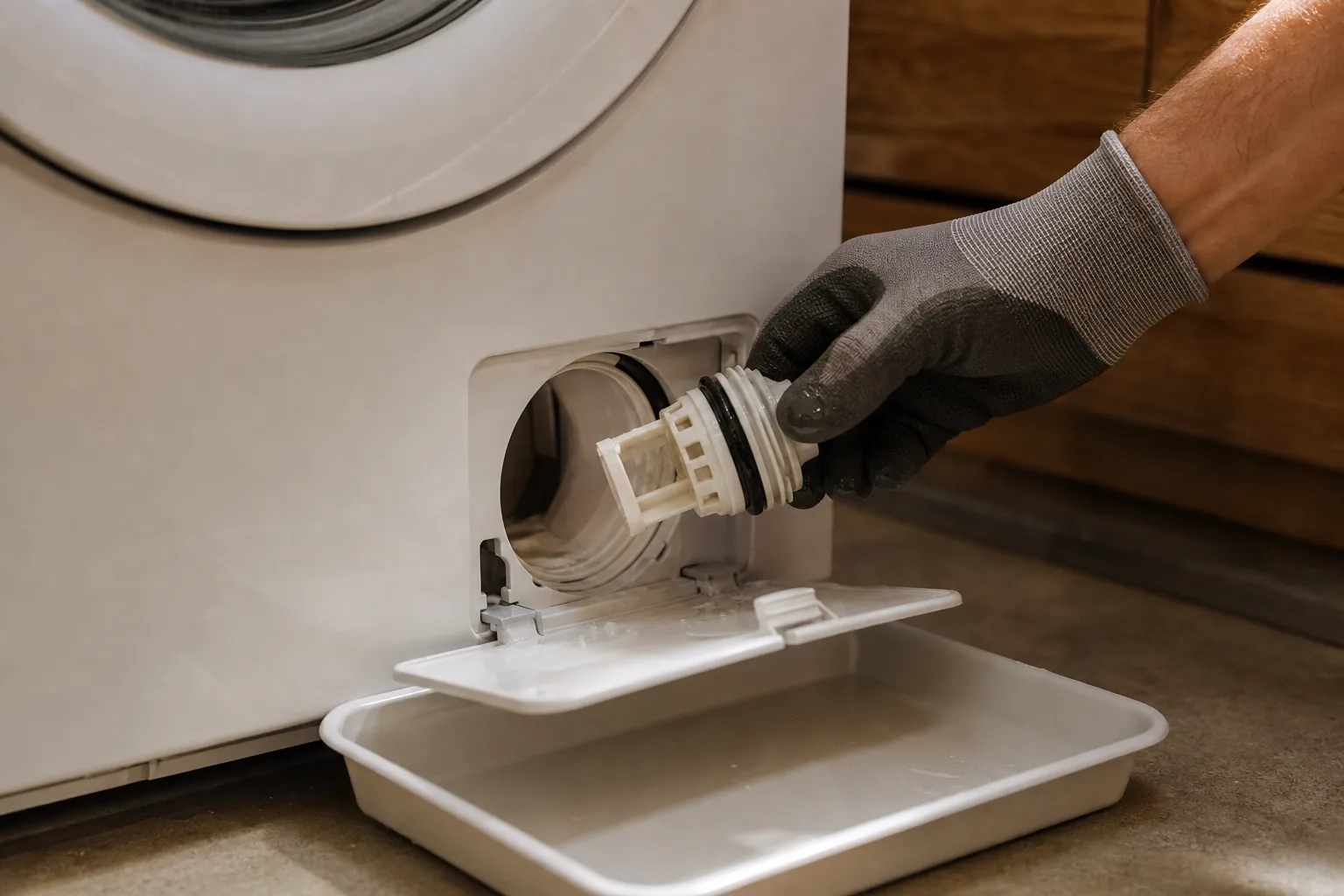
Open the filter access panel, typically at the bottom front of the machine, and place a shallow pan underneath before you remove the cap. Clean out lint, coins, or any other debris caught in the filter itself.
Check the drain hose for kinks
Follow the hose from the back of the washer to the drain point, whether that's a standpipe or a sink drain, and look for tight bends or visible clogs along the way.
Confirm the drain hose height
Most washers require the drain hose to sit within a specific height range for the pump to drain properly. The exact figure varies by model, so check your washer's install manual rather than assuming a universal number. A hose routed too high can trigger SC even with no actual clog anywhere in the system.
Rule out a failed drain pump
If the filter is clean and the hose checks out on both length and height, the drain pump motor itself may have failed. This points to a technician rather than further DIY troubleshooting.
What to do about the water still in the tub
Most Samsung washers allow a manual drain through the same filter access panel, even if the SC fault happens mid-cycle. Place a shallow pan underneath, open the cap slowly, and let the water drain out gradually rather than all at once, so clothes and water aren't stuck in the tub indefinitely while you work through the steps above.